Find your starting point
Search Playground templates by theme or category. Explore trending designs, revisit favorites, or find inspiration similar to a design you love.
Playground MCP & integrations
Bring Playground into your conversations. Find templates, generate and edit images, upscale details, and remove backgrounds, all through one MCP connection.
Connect your account and bring Playground into your AI assistant.
 Claude
 ChatGPTClaudeorChatGPTYOU ASK
“Create a cat illustration I can use anywhere.”
 Playground MCP Connected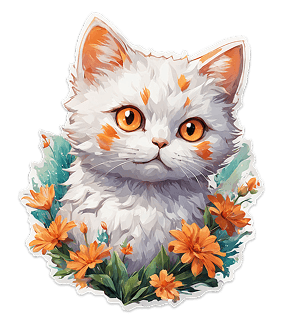
Your ideas. Your tools. One conversation.
YOUR IDEAS, WITH TOOLS TO MATCH
Give your assistant tools that do the work, from finding a design direction to preparing artwork and updating your connected store.
Search Playground templates by theme or category. Explore trending designs, revisit favorites, or find inspiration similar to a design you love.
Turn a prompt into an image, remix a template, or generate a batch of design directions to compare on your Playground board.
Describe a new color palette, a different style, or an element to change. Refine an existing image with natural-language instructions.
Upscale supported images with a dedicated 4× upscaler. Prepare higher-resolution artwork for the next step in your workflow.
Remove image backgrounds to create transparent cutouts for product artwork, stickers, and layouts. Upscale and remove the background together.
Connect Etsy or Printify to work with your own listings and products. Move from a design conversation into a connected seller workflow.
Sign in to Playground and choose the setup instructions for your AI assistant.
Add the Playground MCP server in your assistant’s connector settings, then sign in to authorize your Playground account.
Link Etsy or Printify in Playground to enable that store’s tools. You can use design tools without connecting a store.
MCP lets your assistant use Playground’s tools. Add this server URL in a compatible assistant, then authorize your Playground account.
https://playgroundai.com/mcpClaude & ChatGPT setup is available in Connectors.
Explore the connections that fit the way you work.
Image generation and editing use your Playground plan and credits. Assistant subscriptions and store charges are separate.
View Playground plansConnect your Playground account and bring your designs and shop into the conversation.
Playground is an independent product and is not affiliated with, endorsed by, or sponsored by Etsy, Printify, Anthropic, or OpenAI. All trademarks belong to their respective owners.